Product · Context Analytics
Review security context before it becomes a canonical finding
Context Analytics gives practitioners a view of analysis records within the selected customer environment. Teams can search and filter the review queue, inspect what evidence exists, and keep draft analysis separate from promoted findings.
Filter records by severity, analytic, review state, and promotion state
Keep evidence and compliance context counts visible beside each record
Separate draft review from the controlled promotion workflow
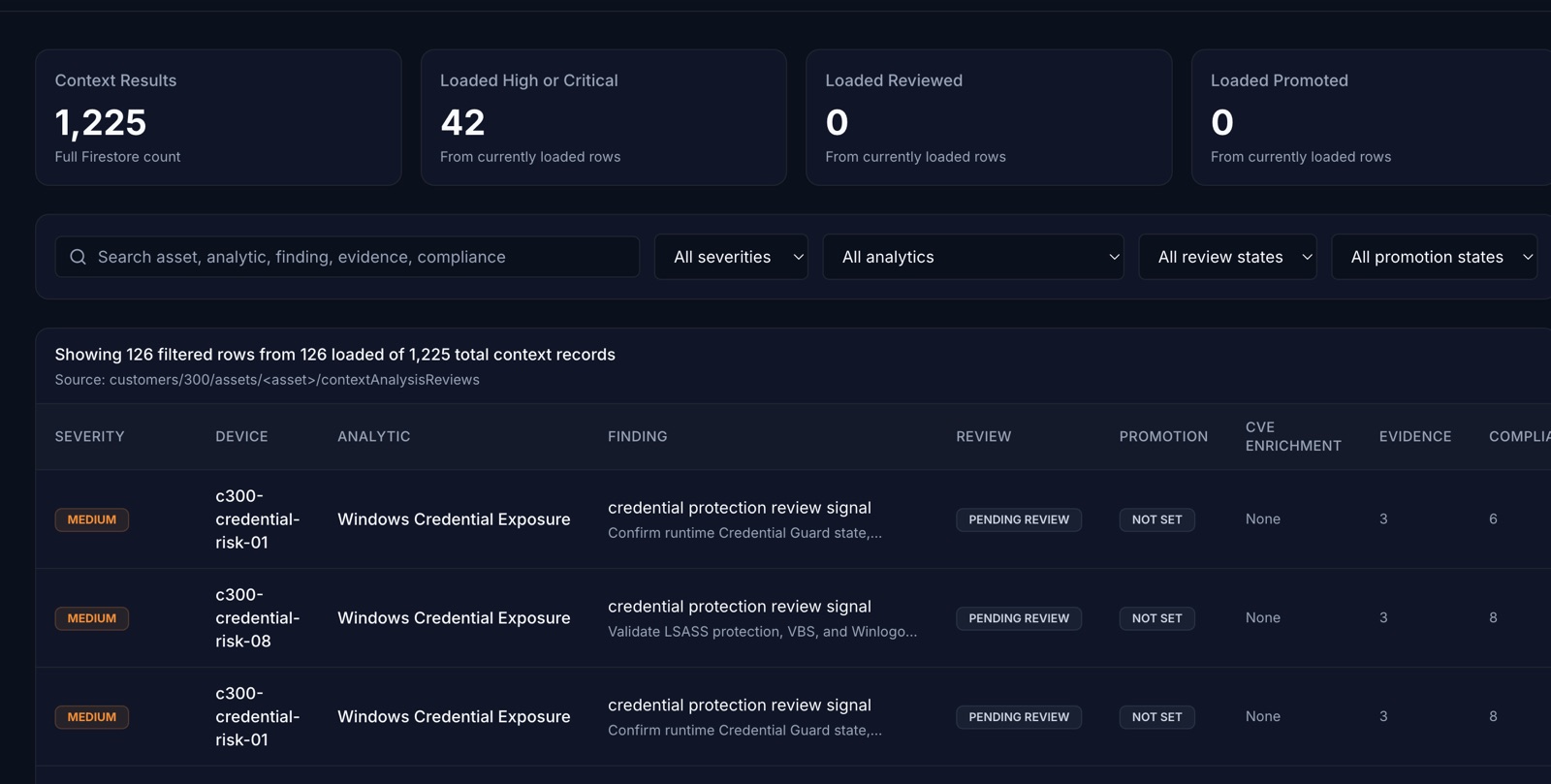
Review queue
See the state of the analysis, not just its conclusion
The interface keeps the operational fields required to review a record together.
Search and filter
Find records by asset, analytic, finding, evidence, or compliance context, then narrow the queue by severity and workflow state.
Evidence visibility
Review evidence counts and the available mapped control context without treating a mapping as a certification or final compliance determination.
Explicit workflow state
Review and promotion are separate fields, making it clear whether a record is pending, reviewed, or promoted.
Controlled lifecycle
Keep generated analysis behind a practitioner decision
The implemented data model stages analysis for review before it can update canonical security state.
Draft grounded in evidence
Draft analysis is built from the asset context and sourced reference facts supplied to the analysis step.
Human review
A practitioner can inspect the record and its supporting fields before approving or rejecting it.
Separate promotion
Approved review state does not itself rewrite a finding. Promotion remains a separate workflow with its own quality gates.
Product boundary
Built to expose uncertainty instead of hiding it
Context Analytics is a review surface, not a guarantee that every record is complete or correct.
Missing context stays visible
The workflow can retain missing evidence and recommended verification steps rather than filling gaps from model memory.
Counts are operational
Loaded, reviewed, and promoted counts describe the current dataset and workflow state, not a promised security outcome.
Customer scope is explicit
Records are read from Firestore paths for the selected customer and displayed within that context.
Review Context Analytics against your own workflow
Request early access to discuss your evidence sources, review process, and the decision you want the queue to support.
Request Early Access